AI Governance
Define your AI policy, enforce it on generated opportunities, and keep an auditable receipt for every decision.
AI Governance lets regulated and risk-managed organizations put a written AI policy in front of the opportunities Architect generates. You upload a policy document, Linc extracts it into structured constraints, and every automation-type opportunity is evaluated against the active policy. Each evaluation produces an audit-defensible receipt: the constraints that fired, the model's rationale, the policy version in force, and the reviewer's sign-off.
This page is for admin and reviewer users. Governance lives under Settings → AI Governance.
Uploading a Policy
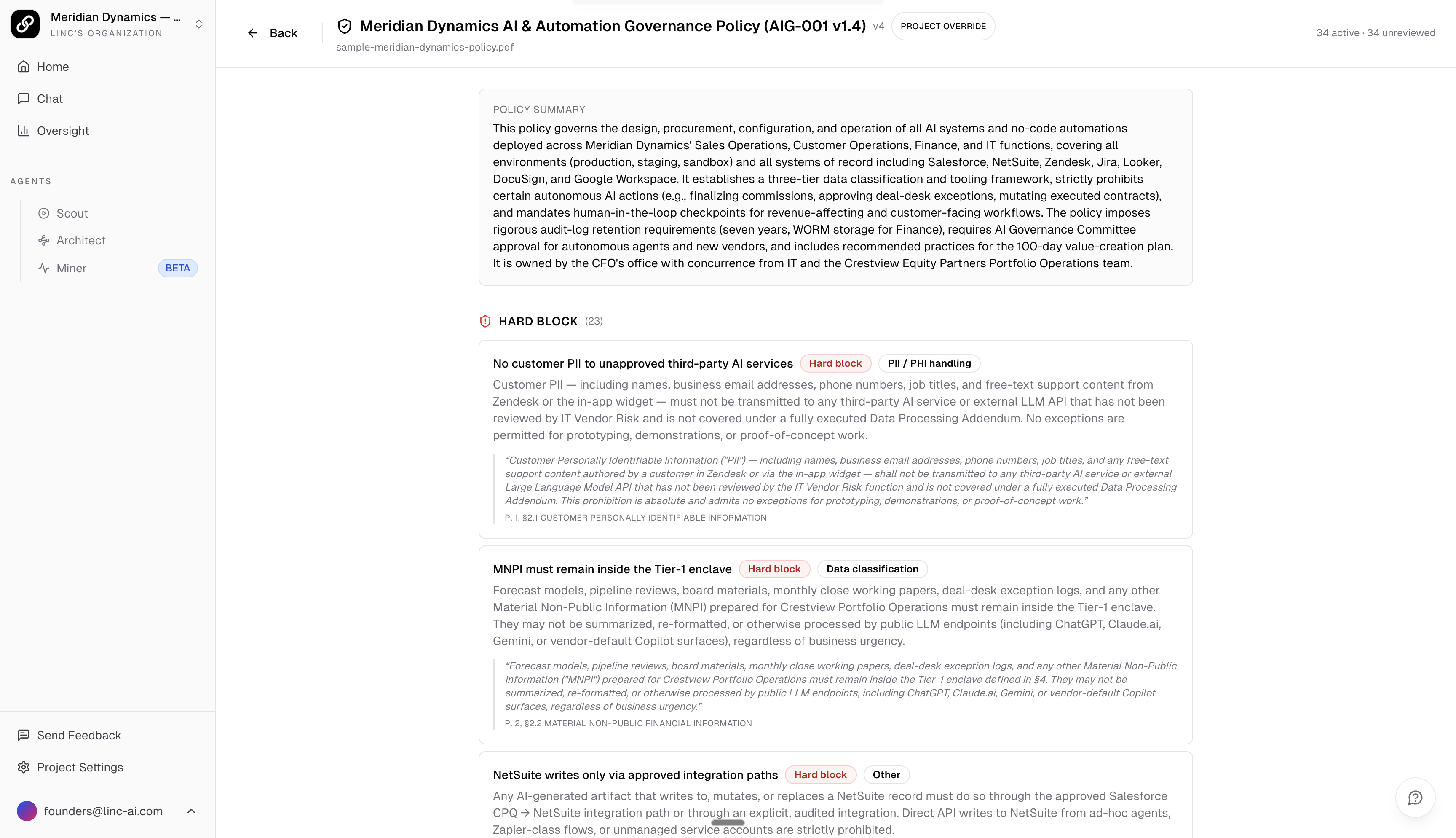
Policies are uploaded per project. Each project carries its own governance policy; projects without one are unconstrained. Upload a PDF and Linc extracts enforceable constraints (categories like data classification, PII/PHI handling, human-in-the-loop, approval required, retention, and prohibited use), each with a severity of Hard block, Requires review, or Advisory.
Policy Versions
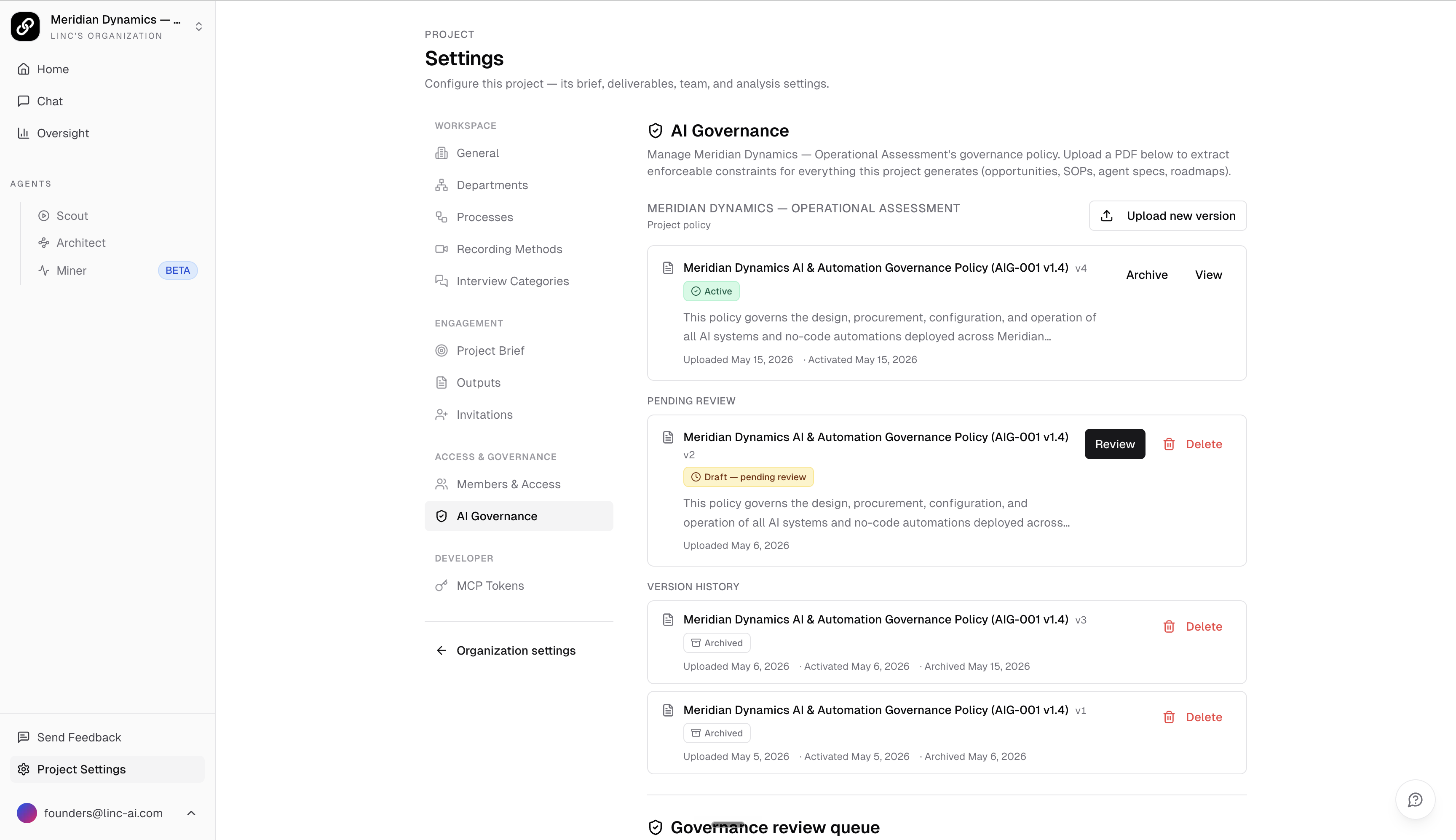
Every policy carries a status:
- Draft — pending review. Constraints can be edited, approved, or dismissed. Drafts do not govern any artifacts yet.
- Active — the version currently enforced. A project has at most one active policy at a time.
- Archived — a previous version kept for history. Archived policies no longer govern new artifacts but remain referenced by the receipts they produced.
Uploading again creates a new version. Activating it archives the previous one. Draft and archived versions can be deleted; the active version cannot be deleted until it is archived first.
Organization Default and Project Overrides
Governance is designed around an organization-default policy with per-project overrides. When a project has an active override, you can choose how it binds:
- Layered — the project override applies on top of the organization default, so both sets of constraints are enforced.
- Replace org default — check this option when activating a project override to ignore the organization default entirely, enforcing only the constraints in that project policy.
The bound policy (organization, project, and the exact version in force) is recorded on every evaluation receipt, so it is always clear which constraints applied.
How Opportunities Are Evaluated
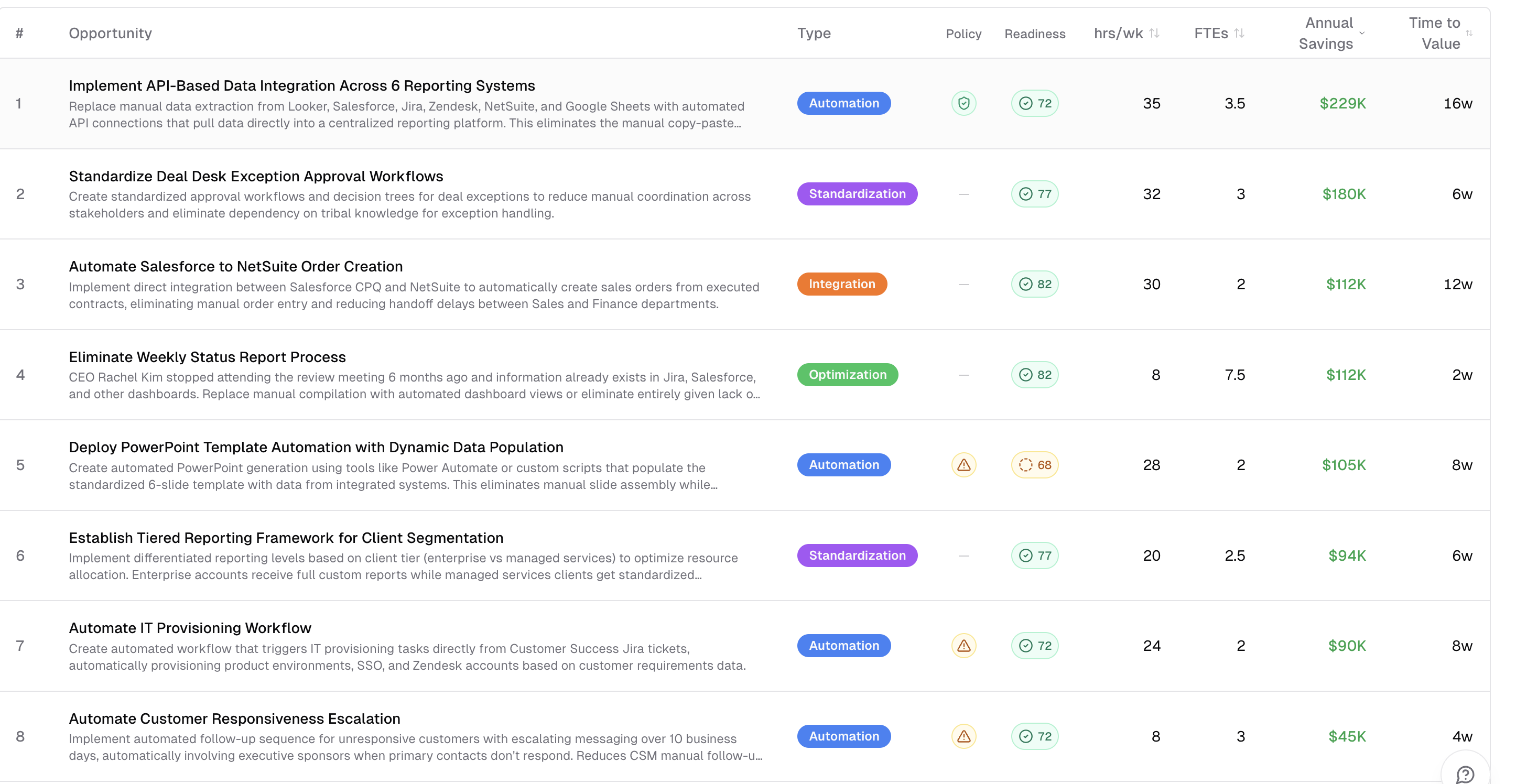
Governance evaluates automation-type opportunities only. Other opportunity types (optimization, standardization, integration, error reduction) are process-improvement ideas, not AI/automation artifacts, so they are skipped. Run a governance check from the Opportunities dashboard; it requires a resolved analysis run, an active policy, and at least one automation opportunity.
Each evaluated opportunity gets a trace with an overall status:
- Clean — passed all governance constraints.
- Needs review — one or more constraints flagged the opportunity for human review.
- Blocked — a hard-block constraint is violated. Proceeding requires a reviewer override with a justification.
When you activate a new policy version, traces produced under the prior version become stale. Linc surfaces these automatically so you can re-evaluate them under the current policy. Re-evaluation appends a new trace, it does not overwrite the prior one, so the original receipt (including any sign-off) stays in history.
The Review Queue
The project review queue (under the AI Governance tab) lists every artifact that needs human review before it can be considered audit-defensible. Clean traces do not appear; reviewed traces drop out the moment a reviewer signs off. Counters at the top show how many traces are blocked, need review, and are stale (policy updated).
Reviewing a Flagged Opportunity
The Governance Receipt
The receipt drawer is the audit record for one opportunity. It shows the bound policy and version, the per-constraint evaluation (status, the model's rationale, and any required action), the reviewer dispositions and justifications, and the final reviewer decision with a signature line.
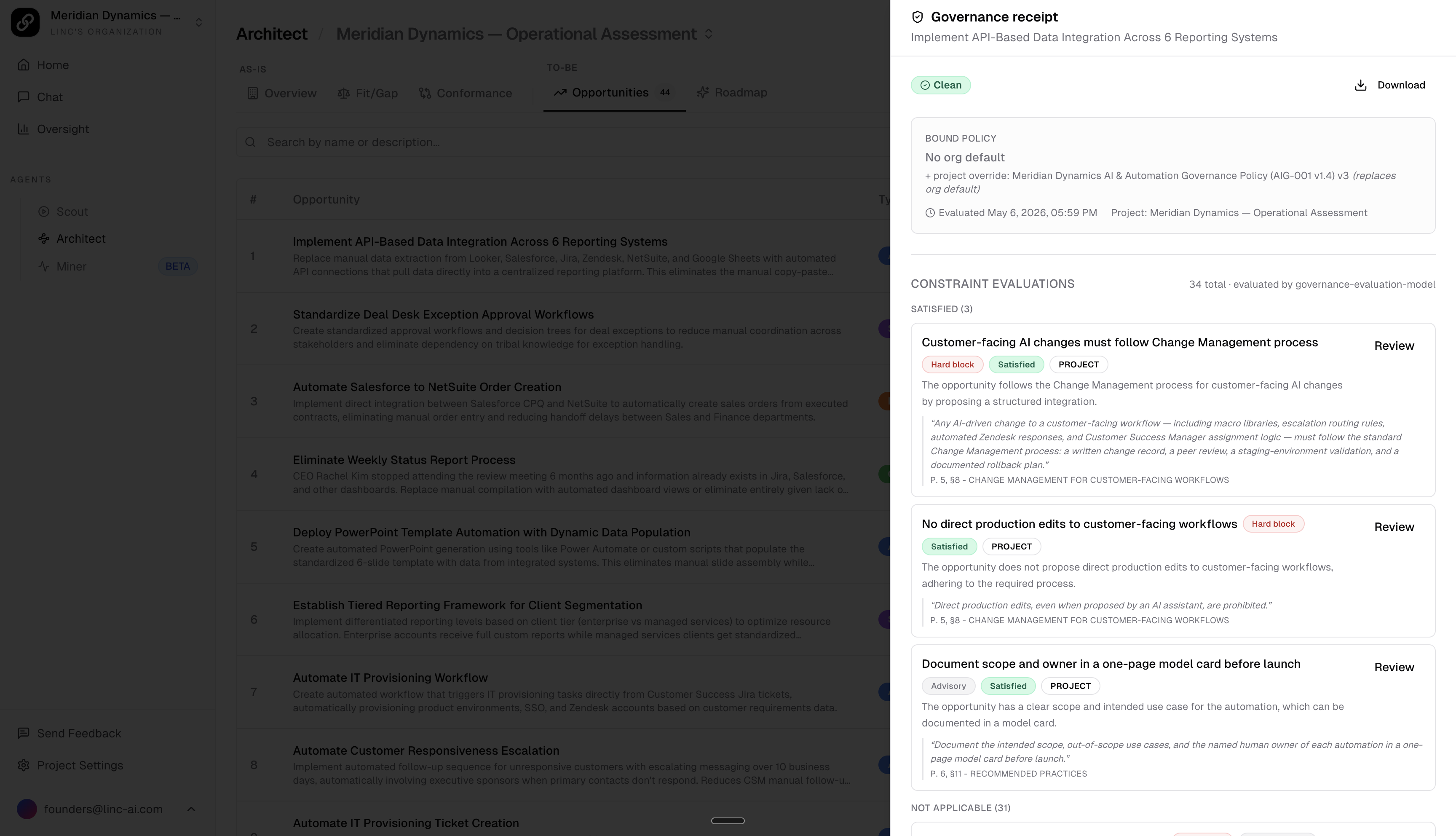
Use Download to export a human-readable JSON copy of the receipt for audit handoff. It inlines constraint titles, severities, source quotes, per-constraint model status, reviewer dispositions (with reviewer names), and the final decision, so a compliance lead can read it without cross-referencing internal IDs.
Policy Column on the Opportunities Dashboard
When a project has an active policy, the Opportunities dashboard adds a Policy column. Each automation-type opportunity shows a governance badge reflecting its trace status (clean, needs review, or blocked), or an Unchecked indicator when it has not been evaluated yet. Click a badge to open the receipt drawer with the full constraint breakdown.