Project Setup & Configuration
Admin guide for creating projects, departments, and process categories.
This section covers features available to Admin users. If you are a Contributor or Viewer, you can skip the Admin Guide section entirely.
Projects are the top-level organizational unit. Create a separate project for each engagement, department initiative, or client.
Creating a Project
1
From the Home page, click + New Project, or use the project dropdown in the top-left sidebar and click Create New Project.
2
Enter a project name and description, then save.
Configuring Departments
Departments categorize workflows and determine how Architect organizes its analysis. Set these up before sending invitations.
1
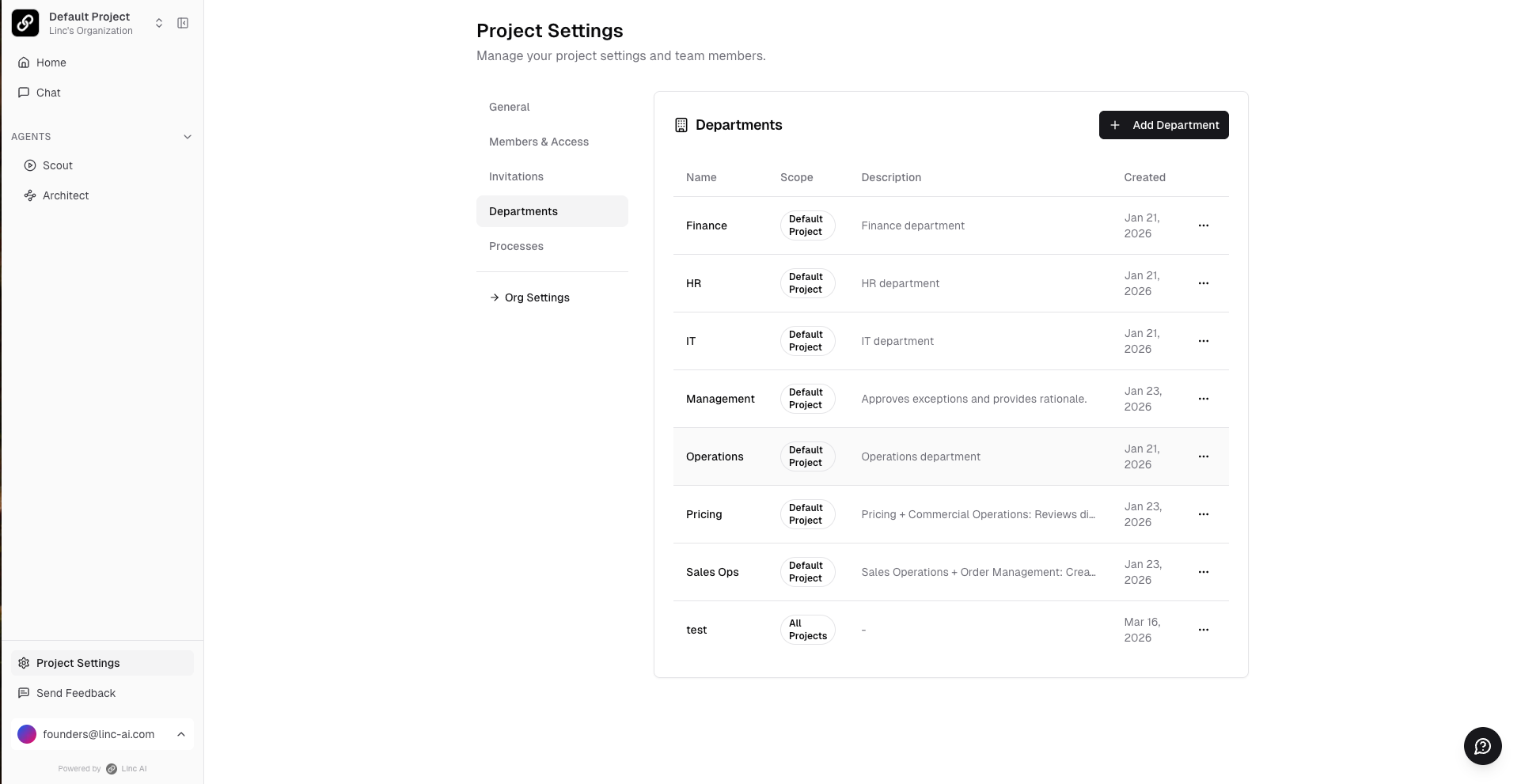
Go to Project Settings (bottom of the left sidebar) → Departments tab.
2
Click + Add Departmentand enter a name and description (e.g., "Finance", "Operations", "Sales Ops").
Configuring Process Categories
Process categories help tag and group related workflows. This is especially useful when multiple people document different parts of the same end-to-end process.
1
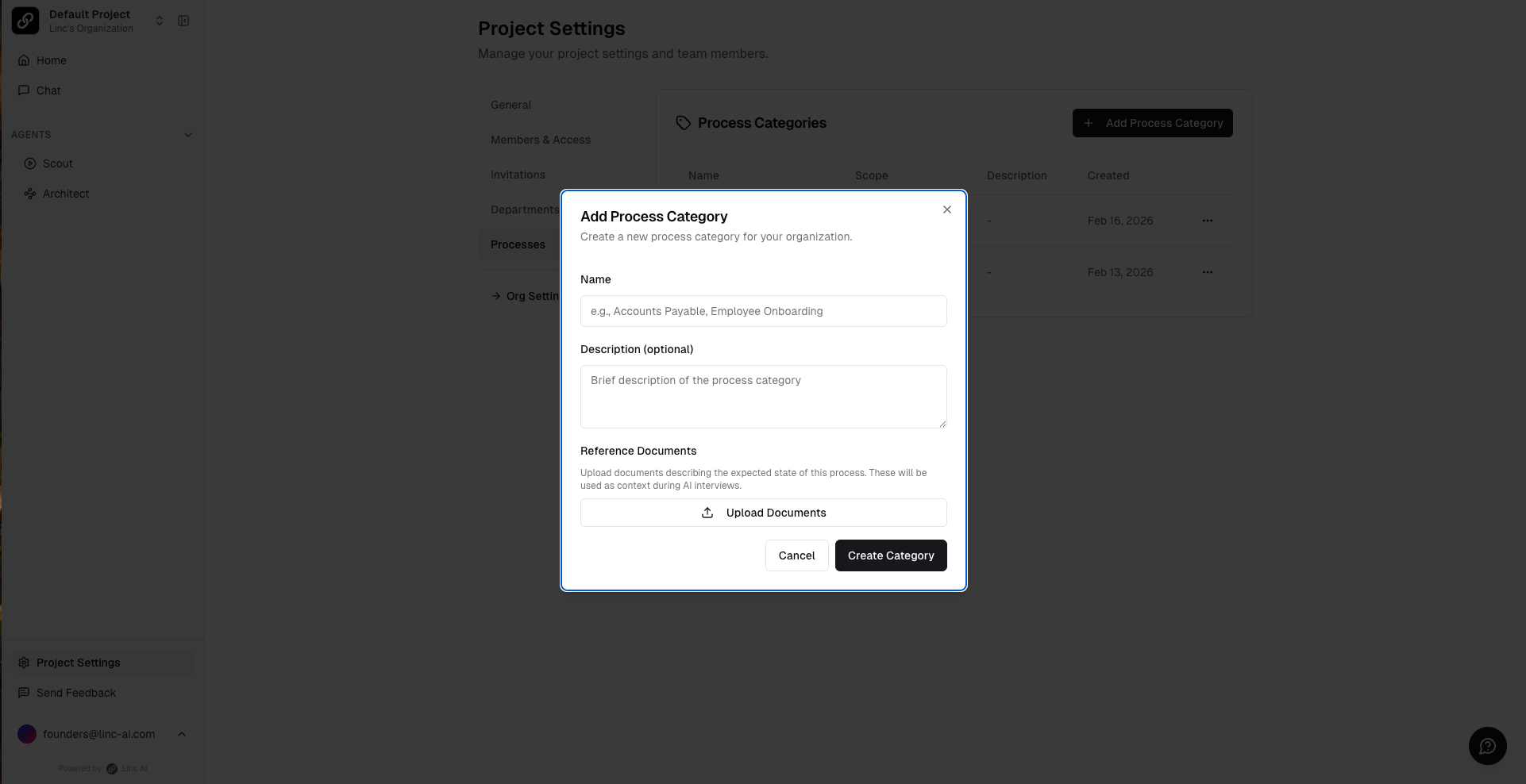
Go to Project Settings → Processes tab.
2
Click + Add Process Category and enter a name and description.