Fit/Gap Analysis
Compare documented processes against vendor system capabilities.
If your project involves implementing a new system (ERP, CRM, EMR, etc.), the Fit/Gap tab compares your documented processes against vendor documentation to identify where the system fits, partially fits, or has gaps. This is primarily used by implementation consultants and system integrators.
Running a Fit/Gap Analysis
1
Navigate to the Fit/Gap tab in Architect.
2
Upload vendor reference documentation — implementation guides, module catalogs, business object descriptions, algorithm documentation. These can be hundreds of pages; the platform handles large documents.
3
Optionally provide analysis instructions in the settings (e.g., which modules to focus on, client context, specific areas of concern).
4
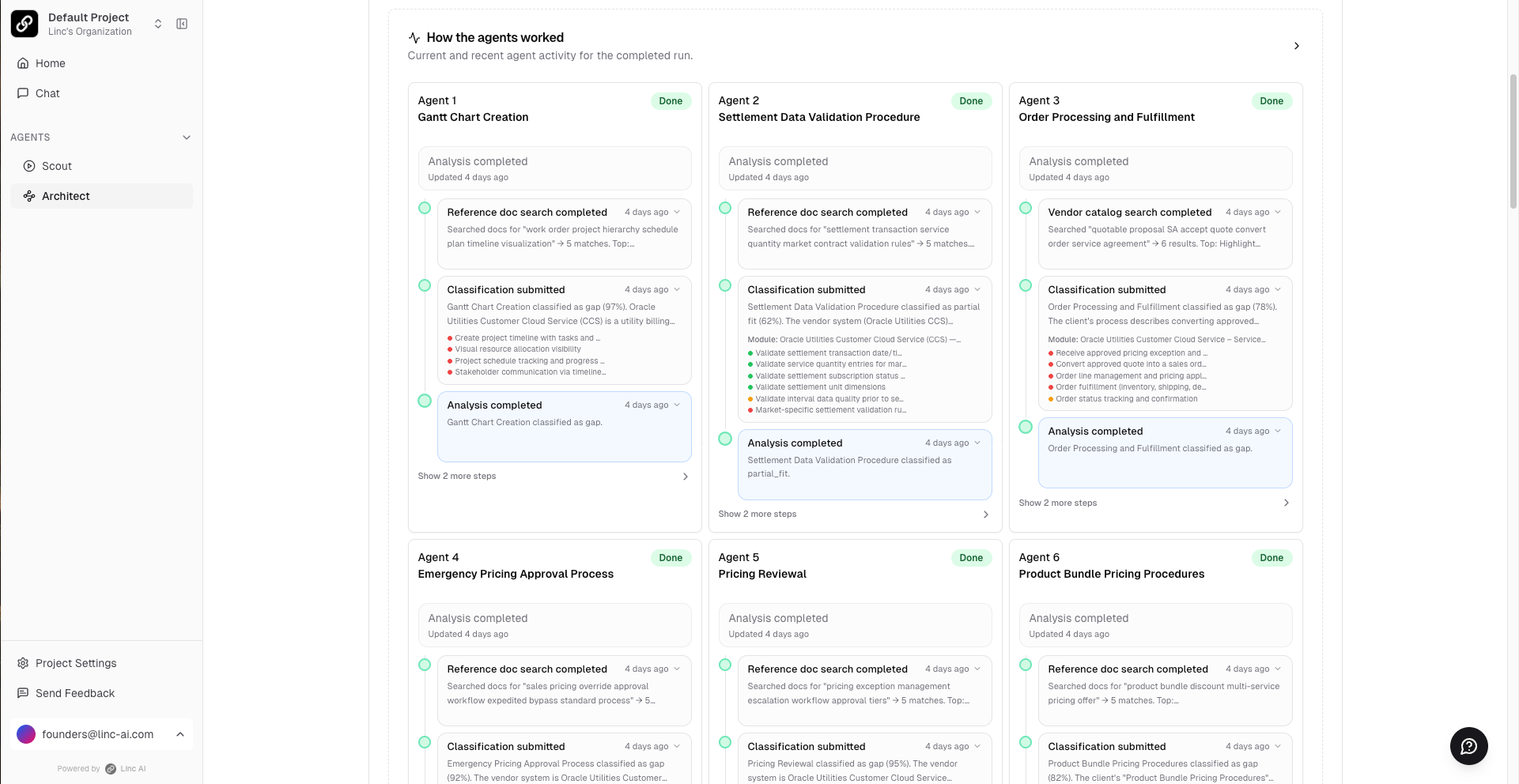
Click Run Analysis. The platform deploys a swarm of agents — one per documented process — to search through all vendor documentation.
5
Monitor progress in real time as agents work through each process.
Understanding the Results
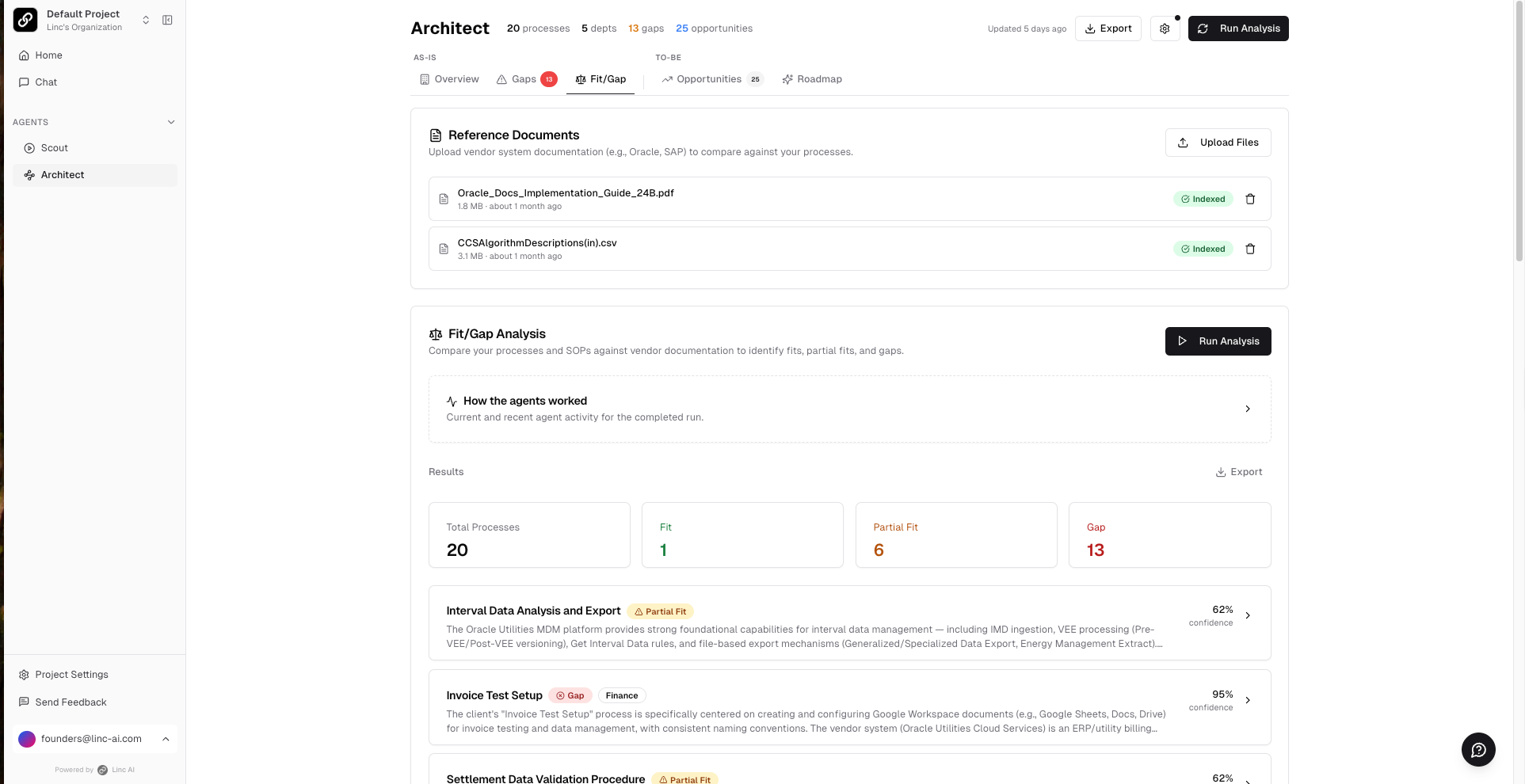
Each process is classified as:
- Fit — The vendor system fully supports this process.
- Partial Fit — The vendor system partially supports this process, with some gaps or customization needed.
- Gap — The vendor system does not support this process.
For each result, you will see:
- Confidence scores for the classification
- Vendor module and feature mapping
- Detailed gap descriptions with sub-step analysis
- Recommendations (customize, workaround, or accept)
- Citations to both your SOPs and the vendor documentation
Tip
Keep projects focused. If you are running a fit/gap analysis for a specific client implementation, create a dedicated project with only the relevant Scout sessions and vendor documentation. Mixing data from unrelated engagements will reduce accuracy.